Preguntas Frecuentes
En esta sección podrá encontrar fácilmente respuestas a las preguntas más frecuentes sobre pedidos, envíos, pagos y mucho más.
Para hacer un pedido, simplemente navegue por los productos del sitio, seleccione los artículos que desee, elija la talla y el color correctos y, a continuación, continúe con el proceso de pago seguro proporcionando sus datos de contacto, entrega y pago. Una vez realizado el pedido, recibirá un correo electrónico de confirmación del mismo.
Sí, puede comprar solo nuestras plantillas, sin embargo, esta opción no está disponible en nuestro sitio web, por lo que deberá ponerse en contacto con nuestro servicio de atención al cliente, quien verificará si tenemos el tamaño de plantillas que necesita en stock.
Si un estilo está en el sitio web pero no está disponible en su talla o color preferido, es posible que vea un botón de"Notificarme"en la página del producto. Haga clic en él para registrarse para una alerta de reposición. Si esa opción no se muestra, es posible que el artículo no se reponga en un futuro previsible.
Lamentablemente, una vez que se realiza un pedido, no se puede modificar ni cancelar a través del sitio web. Puede intentar contactarnos al respecto a través de nuestra página de Contacto; sin embargo, como nuestro almacén trabaja rápidamente, no hay garantía de que el servicio de atención al cliente tome la solicitud antes de que se procese su pedido.
PRENTA acepta una variedad de pagos seguros al finalizar la compra, incluyendo las principales tarjetas de crédito y débito (Visa, Mastercard, Maestro, American Express), así como Apple Pay, PayPal y opciones de "Compra ahora, paga después" como Klarna/Clearpay donde estén disponibles.
Sí, todas las transacciones se procesan utilizando protocolos de seguridad estándar de la industria. Su información de pago es manejada de forma segura por proveedores confiables, y detalles como los números de tarjeta no son almacenados por PRENTA.
Actualmente, PRENTA no proporciona facturas automáticas al finalizar la compra. Recibirá un recibo y una confirmación de pedido; sin embargo, si necesita una factura para su compra (por ejemplo, para fines comerciales o de IVA), debe ponerse en contacto directamente con el servicio de atención al cliente a través de la página de Contacto con su número de pedido y detalles.
Si PRENTA no puede cumplir con su pedido (por ejemplo, debido a problemas de existencias o problemas de pago), el pedido puede cancelarse antes del envío. En ese caso, el equipo se pondrá en contacto con usted y no se le cobrará o cualquier importe cobrado será reembolsado automáticamente.
Se le cobrará en el momento de la compra una vez que se confirme el pedido. Si elige una opción de "Comprar ahora, pagar después" como Klarna, el momento de los cargos dependerá del calendario de ese proveedor.
PRENTA se asocia con Klarna para ofrecer opciones de pago flexibles. Puedes elegir:
• Pagar en 3 cuotas sin intereses — divide el coste en tres pagos iguales; el primero se cobra en la confirmación del pedido y los demás cada 30 días.
• Pagar después en 30 días — compra ahora y paga hasta 30 días después.
Estas opciones están sujetas a comprobaciones de elegibilidad y requieren que tengas al menos 18 años. Los calendarios y la gestión de pagos se realizan a través de la aplicación o el sitio web de Klarna.
Una vez que tu pedido sea enviado desde nuestro almacén, recibirás un correo electrónico de confirmación de envío con tu información de seguimiento. Puedes usar el enlace de seguimiento en ese correo electrónico para ver la ubicación actual y el estado de tu paquete. Si no has recibido los detalles de seguimiento, revisa tu carpeta de spam/correo no deseado o ponte en contacto con el servicio de atención al cliente.
Para pedidos en el Reino Unido, PRENTA ofrece varias opciones al finalizar la compra, como:
-
Royal Mail Tracked 24 — 1-2 días laborables (si se pide antes de las 3 p. m. de lunes a viernes)
-
Royal Mail Tracked 48 — 2-3 días laborables
-
Royal Mail Economy — 3-5 días laborables
"Días laborables" se refiere de lunes a viernes, excluyendo fines de semana y días festivos.
Para pedidos internacionales fuera del Reino Unido, los servicios de entrega varían (normalmente de 5 a 10 días, dependiendo de su ubicación). Las tarifas y opciones de envío se muestran al finalizar la compra
PRENTA realiza envíos a países elegibles de todo el mundo. Si desea entregar en un país diferente al de su pedido, asegúrese de seleccionar la región/sitio de destino correcto (p. ej., Reino Unido, UE, EE. UU.) al finalizar la compra. Es posible que algunas ubicaciones no sean compatibles.
Sí, durante el proceso de compra puede introducir una dirección de entrega diferente a la de facturación. Solo asegúrese de que todos los detalles de entrega se introduzcan con precisión antes de realizar el pedido.
Sí, PRENTA actualmente no realiza envíos a ciertos países y territorios. La lista completa está a continuación, por lo que si tu ubicación no es compatible, es posible que no puedas completar la compra hasta que el envío esté disponible para tu país.
Una vez que se realiza y confirma un pedido, los cambios en la dirección de entrega o los detalles del pedido generalmente no son posibles porque los pedidos se procesan y envían rápidamente. Si necesita actualizar algo con urgencia, comuníquese con el servicio de atención al cliente de inmediato, es posible que puedan ayudar solo si el pedido aún no ha sido enviado.
PRENTA no ofrece actualmente la selección de una fecha u hora de entrega específica al finalizar la compra. Las entregas son programadas por el servicio de mensajería según su ruta y horario habituales.
Recibirás tu información de seguimiento en un correo electrónico separado una vez que tu pedido haya sido enviado. El seguimiento suele estar disponible muy poco después de la confirmación de envío, una vez que el transportista haya escaneado el paquete en su sistema, podrás seguir su progreso utilizando el enlace de seguimiento.
Entendemos que encontrar el ajuste perfecto a veces puede ser desalentador y difícil. La salud del pie es la consideración principal al fabricar nuestros zapatos. Tenemos un ajuste más ancho en general, así como capelladas suaves y flexibles y tiras generosas que permiten un ajuste seguro tanto en pies estrechos como anchos. Como las diferentes marcas pueden variar en tamaño, aconsejamos usar nuestra herramienta de escaneo en casa (enlace aquí) para determinar su talla PRENTA perfecta. Esto tendrá en cuenta tanto el ancho como el largo del pie de su hijo a través de tecnología líder. La otra opción es usar nuestra guía imprimible en A4, que puede descargar aquí.
PRENTA ofrece una política de devolución de 28 días, lo que significa que puede solicitar una devolución dentro de los 28 días siguientes al día en que realizó su pedido, siempre que el artículo no haya sido usado, esté sin usar, en su estado original, con las etiquetas puestas y en su embalaje original. Las devoluciones deben registrarse a través del portal de devoluciones. Una vez recibidas y procesadas en el almacén, los reembolsos se emiten automáticamente a su método de pago original. Espere de 3 a 5 días para que esto se muestre en su cuenta.
Los zapatos deben estar sin usar, sin utilizar, con etiquetas y en su embalaje original.
Siga estos pasos cuidadosamente:
- Utilice el embalaje original y retire la etiqueta antigua.
- Vuelva a colocar los zapatos dentro de la caja.
- Selle la caja con la tira resellable.
- Coloque la caja dentro del embalaje exterior.
No utilice la caja de zapatos como embalaje exterior para la devolución.
Cargos y tasas de devolución: 2,99 £ de tasa de reabastecimiento/devolución obligatoria en pedidos del Reino Unido.
Los artículos en oferta pueden devolverse siempre que cumplan las condiciones de devolución (sin usar, sin estrenar y con las etiquetas). Sin embargo, esto significará que solo podrá optar a un cambio por otros artículos en oferta o a un crédito en tienda.
Para hacer una devolución:
- Visita el portal de devoluciones en el sitio web de PRENTA para iniciar tu devolución.
- Sigue los pasos guiados para obtener tu etiqueta de devolución (o detalles del código QR/etiqueta).
- Empaca el artículo como se describe en nuestras preguntas frecuentes 'cómo empaco los zapatos para la devolución' y envíalo a través del transportista especificado.
- Una vez que PRENTA reciba e inspeccione la devolución, se procesará tu reembolso.
Para solicitar un cambio, haga clic aquí
Tenga en cuenta que si ha cambiado su artículo, eximiremos la tarifa de devolución. Avíseme si hay algo en lo que pueda ayudarle durante el proceso o si tiene alguna pregunta.
Una vez que su paquete de devolución llegue al almacén, espere hasta 2 días hábiles para su procesamiento. A partir de ese momento, su reembolso será enviado a su método de pago original. Por favor, espere un tiempo para que su banco o proveedor de tarjeta registre el reembolso en su cuenta.
Si has iniciado una devolución, pero aún no has enviado el paquete, simplemente puedes optar por no enviarlo. Si ya ha sido enviado y está en tránsito, la devolución no puede detenerse ni cancelarse.
Si un artículo llega defectuoso, dañado o incorrecto, inspeccione su pedido y contáctenos lo antes posible para que podamos resolverlo. La política oficial de devoluciones cubre estos escenarios como parte de los términos generales de devolución/reembolso.
Asegúrese de incluir fotos que muestren claramente el problema.
Puede devolver el artículo utilizando un embalaje exterior protector alternativo, siempre y cuando la caja original de los zapatos se coloque dentro de él. La caja original de los zapatos no debe utilizarse como embalaje exterior para la devolución.
Cada pedido debe devolverse por separado a través del portal de devoluciones para que PRENTA pueda rastrear y procesar los reembolsos correctamente. Cada artículo debe enviarse de vuelta por separado con la etiqueta de devolución correspondiente adjunta al embalaje exterior.
PRENTA Points es nuestro programa de recompensas diseñado para brindarte un valor adicional cada vez que interactúas con nosotros. Al registrarte, recibirás un código de bienvenida con un15% de descuento en tu primer pedidoy obtendrás acceso a beneficios exclusivos para miembros, lanzamientos anticipados de productos y futuras recompensas. Es nuestra forma de agradecerte por ser parte de la comunidad PRENTA.
Una vez que te registres, obtendrás:
• Un descuento de bienvenida en tu primer pedido.
• Un adelanto de los nuevos productos.
• Ofertas y promociones especiales reservadas para miembros.
A medida que compres más, desbloquearás futuros beneficios vinculados a tu actividad.
Unirse es gratis y sencillo, solo ingresa tu correo electrónico en la sección de Puntos PRENTA en nuestra página de Recompensas y envíalo. Inmediatamente serás elegible para tu oferta de bienvenida.
Acumularás puntos al realizar compras que califiquen y otras acciones de fidelización definidas en el programa. Tus puntos y tu progreso se registrarán en el panel de control de tu cuenta PRENTA una vez que inicies sesión. (Los detalles específicos de seguimiento aparecerán allí una vez que te hayas unido).
Cuando acumules suficientes puntos por actividad o superes los umbrales de gasto, el programa emitirá vales (por ejemplo, descuentos o beneficios para miembros). Puedes ver todos los vales disponibles y sus códigos de canje en tu sección de Recompensas cuando inicies sesión en tu cuenta
Esto depende de los términos específicos adjuntos a cada cupón. Por lo general, los descuentos o recompensas de bienvenida pueden no ser acumulables con promociones por tiempo limitado, pero verá las reglas aplicables cuando se emitan en su cuenta.
Una vez emitidos, puedes aplicar tus vales al finalizar la compra cuando hayas iniciado sesión. Cada vale mostrará su período de validez y el gasto mínimo (si lo hay) en tu panel de Recompensas.
Si devuelves un artículo que contribuyó a tus recompensas, el total de tu gasto se ajustará en consecuencia, lo que puede afectar tu saldo de puntos o la elegibilidad para futuros vales. Los créditos aparecerán en tu cuenta una vez que se procese la devolución.
Los artículos devueltos que se compraron con vales pueden resultar en un ajuste de su saldo de vales. El valor del vale puede ser restablecido, reducido o tratado de acuerdo con los términos de la recompensa original. El saldo actualizado se reflejará en su cuenta
Cualquier pregunta sobre cómo se utilizan sus datos personales en el programa Puntos PRENTA debe dirigirse a nuestro equipo de Atención al Cliente o consultando la Política de Privacidad enlazada al pie de nuestra página web.
PRENTA ofrece varias herramientas para ayudarte a encontrar la talla ideal, incluyendo: (¿Podríamos hacer que los hipervínculos en negrita lleven al cliente directamente a esa herramienta/información sobre ella?)
- Una herramienta digital de escaneo de pies en casa que captura medidas precisas usando la cámara de tu dispositivo.
- Una guía imprimible para medir los pies que puedes usar en casa con una regla.
- La zona de comodidad para los dedos se puede usar si ya has comprado con nosotros.
- Para los bebés, estos métodos de medición pueden ser complicados, así que usar una cinta métrica ayudará a determinar el tamaño de sus pies.
La herramienta de escaneo de PRENTA utiliza una hoja de papel A4 como comparación para determinar el largo y el ancho del pie.
La mayoría de los smartphones y tablets modernos con cámara funcional pueden utilizarse para el escaneo. La herramienta se ejecuta en un navegador web móvil (no es necesario descargar ninguna aplicación) y le guía paso a paso para capturar ambos pies con precisión.
El sistema de escaneo de PRENTA está diseñado para ofrecer una precisión líder en el sector, capturando medidas detalladas de la longitud y el ancho del pie. Tiene en cuenta las variaciones individuales entre los pies y proporciona una base fiable para las recomendaciones de tallas.
- Imprime la guía al 100% de escala (sin cambiar el tamaño).
- Pide a tu hijo/a que se pare con el talón apoyado contra la guía marcada.
- Asegúrate de que todo el pie esté plano y apoyado.
- Registra las medidas que se muestran para ambos pies.
Sí, puede usar una cinta métrica para medir el largo y el ancho del pie en casa, pero la guía imprimible y el escaneo digital de PRENTA están específicamente calibrados para proporcionar las medidas más precisas y específicas para el ajuste del calzado. Una cinta métrica tradicional puede ser menos precisa, especialmente para el ancho.
La Zona del Dedo Feliz se refiere a las suelas de nuestros zapatos, son únicas e incluyen
Los zapatos PRENTA deben incluir un espacio adecuado para el crecimiento, a menudo denominado "espacio para los dedos", para permitir el desarrollo natural sin que queden demasiado holgados. La cantidad exacta depende de la edad y la etapa de la marcha.
Para los gateadores, PRENTA recomienda zapatos de suela blanda y flexible que protejan los pies a la vez que permitan una sensación natural del suelo y el movimiento. Estos promueven el desarrollo muscular a la vez que ofrecen tracción y comodidad. Le recomendamos que los mantenga sin zapatos; sin embargo, nuestros zapatos de cochecito son una excelente opción para mantener calientes los dedos de sus bebés o para empezar a acostumbrarlos a usar zapatos.
Para los bebés que aún no caminan, los estilos de calzado blando para antes de andar y los patucos de PRENTA ofrecen una protección suave sin restringir el movimiento natural del pie. Estos estilos suelen tener forros acogedores y suelas suaves y flexibles.Recomendamos que no usen zapatos; sin embargo, nuestrospatucosson una excelente opción para mantener los dedos de sus bebés calientes o para que se acostumbren a usar zapatos.
La asociación entre PRENTA y Soles4Souls une a PRENTA y a Soles4Souls, una organización sin fines de lucro que transforma zapatos y ropa no deseados en oportunidades para personas necesitadas. Esta colaboración permite a los clientes de PRENTA y a los miembros de la comunidad donar zapatos y ropa para ayudar a comunidades de todo el mundo y reducir el desperdicio.
Cuando donas tus zapatos, ayudas a que el calzado utilizable no termine en los vertederos y les das un propósito. Los artículos donados se utilizan para brindar ayuda a personas y familias necesitadas, y también apoyan oportunidades sostenibles de creación de empleo a través de los programas de Soles4Souls.
Después de la donación, los zapatos se clasifican y se les da un buen uso. Algunos artículos proporcionan alivio inmediato a personas necesitadas, mientras que otros se distribuyen a socios de microempresas o son revendidos por empresarios locales para generar ingresos sostenibles en comunidades en desarrollo.
Si desea donar un par de zapatos PRENTA, puede hacer clic en el enlace de donación en la página PRENTA Soles4Souls. Un miembro del equipo de PRENTA responderá y le proporcionará una etiqueta de envío para que envíe sus zapatos.
Puedes donar zapatos poco usados. Siempre que el artículo sea utilizable y aún le quede vida útil, se le puede dar un buen uso. Soles4Souls acepta artículos que no estén dañados más allá del desgaste normal.
Sí, cuando solicites enviar tus zapatos PRENTA a través de la asociación, PRENTA te proporcionará una etiqueta de envío después de que completes la solicitud a través de su enlace de donación.
¡Sí! Si bien el proceso de donación de PRENTA gestiona específicamente los zapatos PRENTA, Soles4Souls acepta todos los zapatos y ropa nuevos y usados en buen estado, independientemente de la marca, a través de sus programas de donación más amplios.
Soles4Souls trabaja con socios locales que compran los zapatos y la ropa donados, los cuales venden dentro de sus comunidades. Esto crea oportunidades sostenibles para pequeños negocios y ayuda a las personas a ganarse la vida, al mismo tiempo que evita que los textiles terminen en los vertederos y reduce el impacto ambiental.
Cuando compras en PRENTA, parte de estar conectado a los valores de la marca apoya la misión de esta asociación de ayudar a cuidar el planeta y las comunidades a través de la retribución. La asociación es parte del compromiso más amplio de PRENTA con la sostenibilidad y el impacto social.
Si necesita ayuda con su proceso de donación, especialmente con su donación PRENTA, por favorcomuníquese con nuestro equipo de atención al cliente. Para preguntas más generales sobre Soles4Souls o las donaciones, también puede comunicarse a través de las opciones de contacto oficiales de Soles4Souls en su sitio web.
Para que tus zapatos PRENTA mantengan su mejor aspecto y rendimiento:
- Elimina la suciedad con un paño suave y húmedo o un cepillo suave.
- Evita los productos químicos agresivos o los detergentes jabonosos que pueden dañar los materiales.
- Límpialos regularmente para evitar la acumulación, pero solo cuando sea necesario, ya que la limpieza excesiva puede resecar los materiales.
No, los zapatos y plantillas PRENTA no deben lavarse a máquina. El lavado a máquina puede afectar los adhesivos, las suelas, las costuras y los materiales, reduciendo la vida útil de sus zapatos. Se recomienda la limpieza manual de manchas.
-
Cuero: Limpiar con un paño suave y húmedo. Se puede usar ocasionalmente un limpiador o acondicionador especializado para cuero para mantener la flexibilidad.
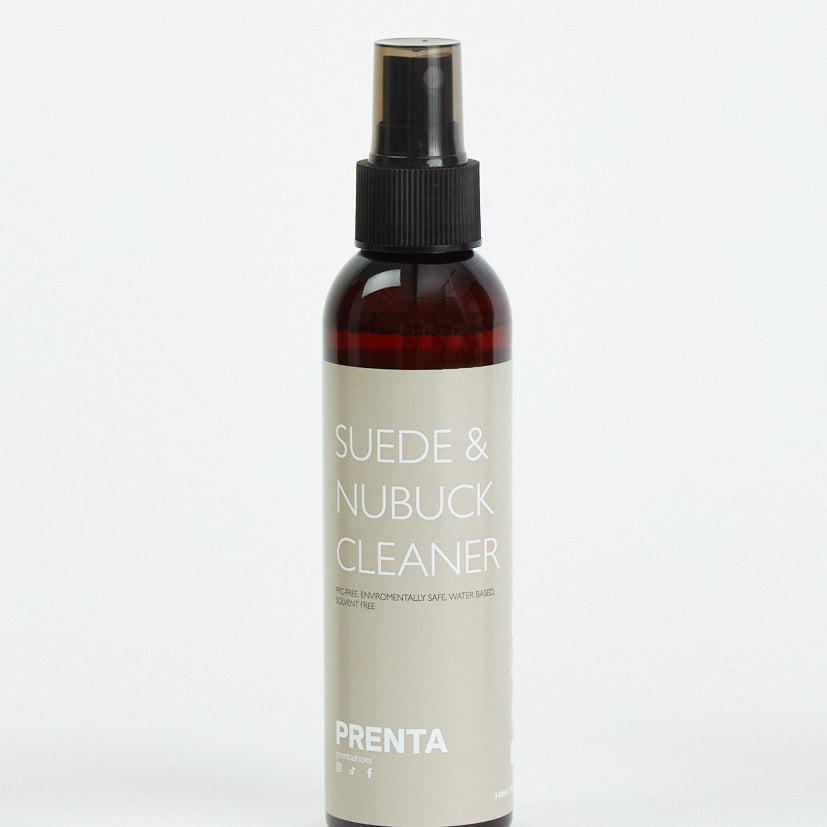
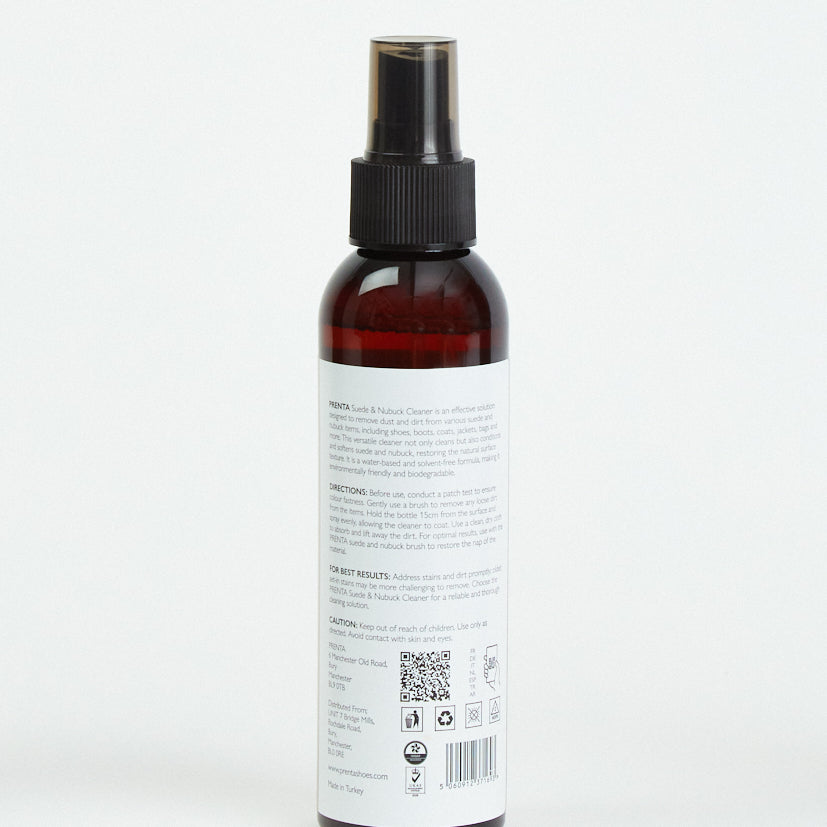
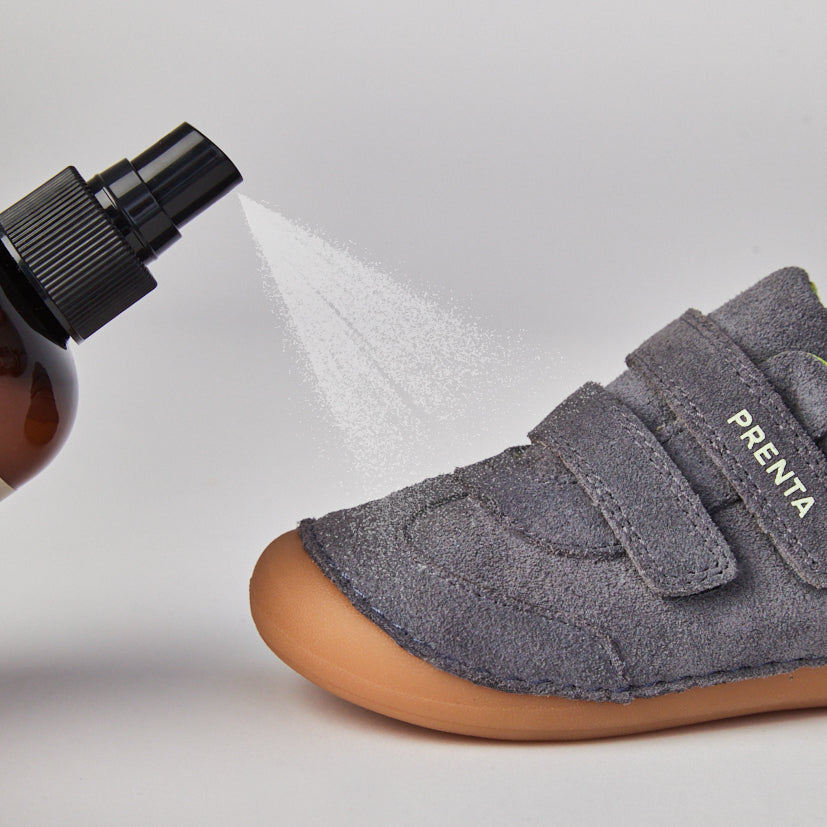
- Ante y nobuk: Quitar la suciedad con un cepillo, luego, usando nuestro spray limpiador de ante y nobuk desde 15 cm, limpiar con un paño seco. Usar un cepillo para ante para restaurar el acabado. Probar primero en un área pequeña y mantener fuera del alcance de los niños.
- Parte superior de punto o tela: Limpiar suavemente con un paño húmedo, evitar saturar demasiado el material.
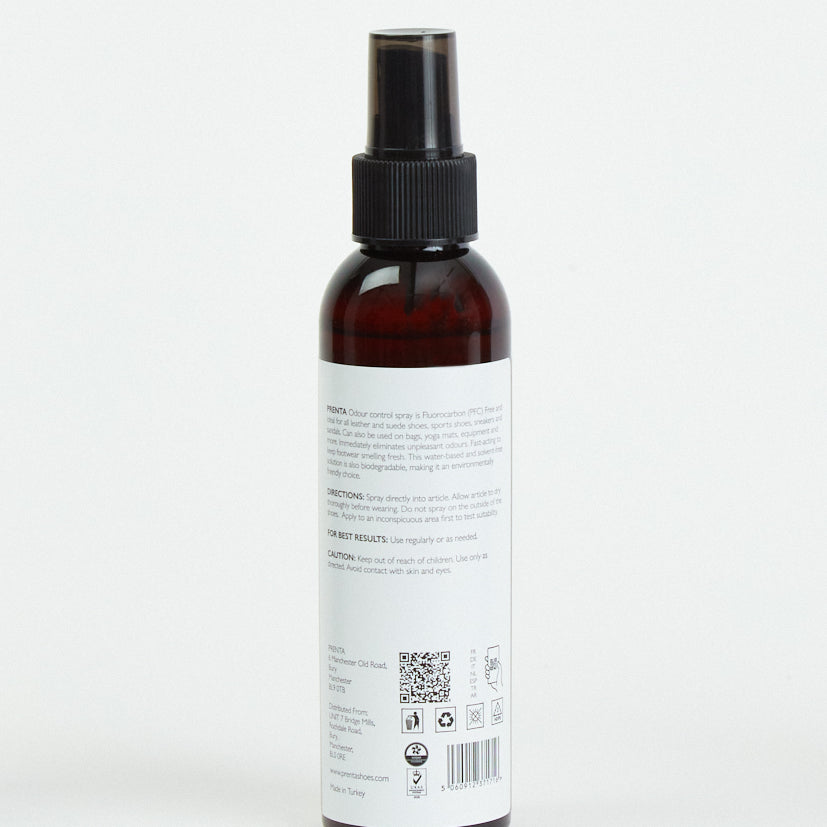
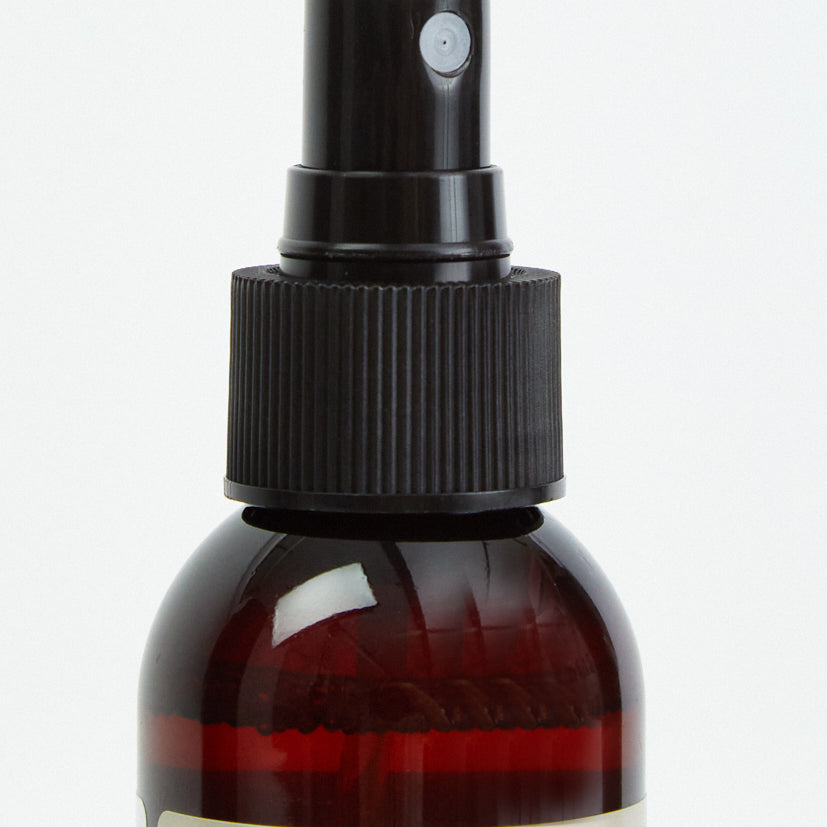
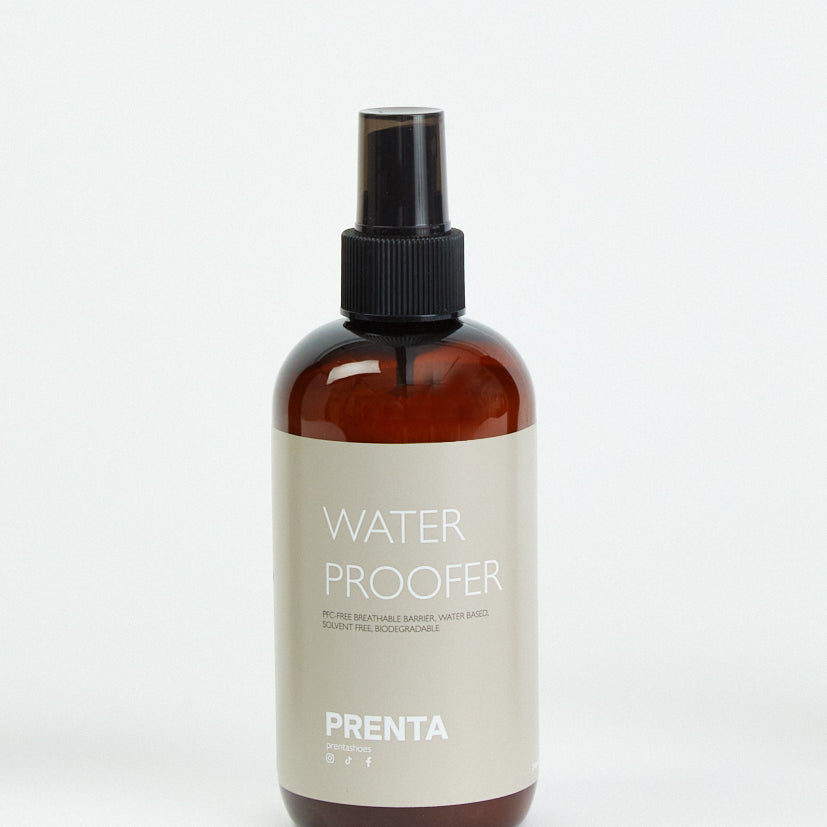
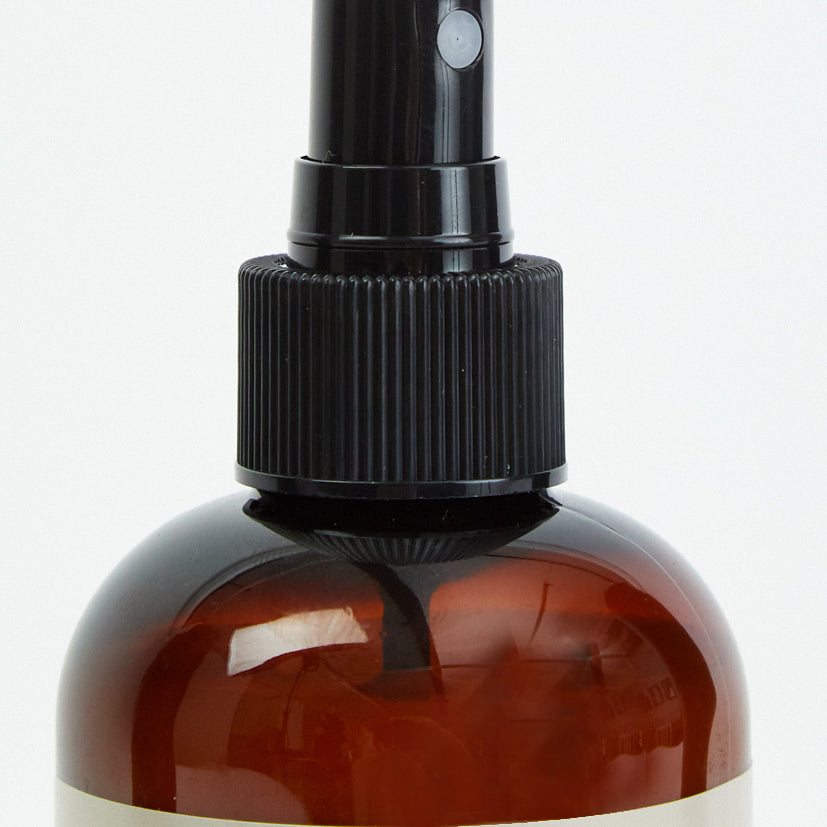
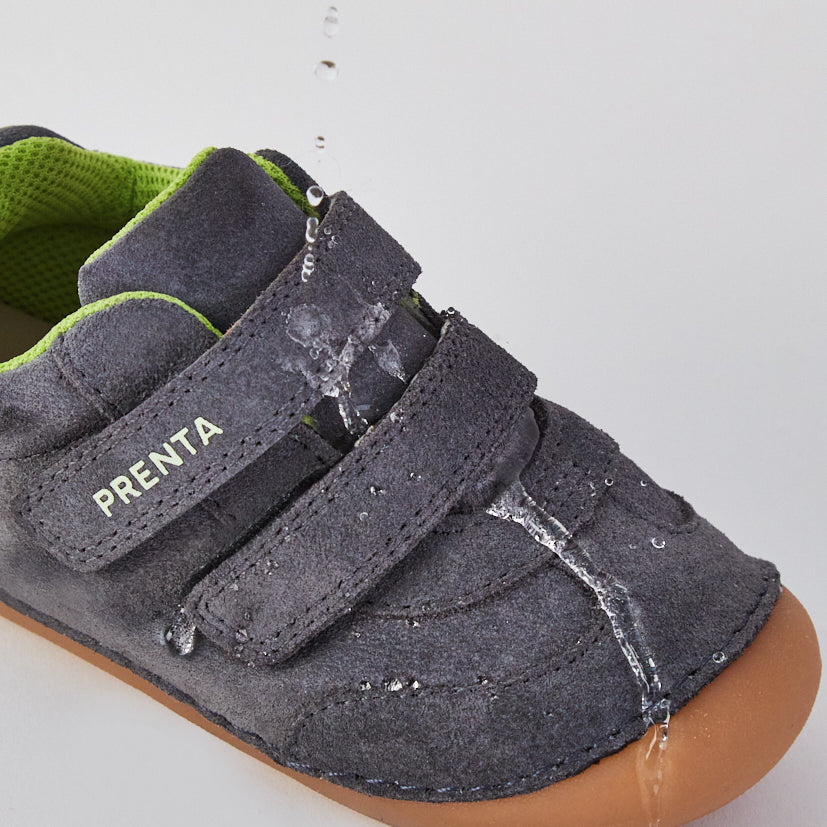
También sugerimos usar nuestro spray impermeabilizante y control de olores para zapatos para mantener tus PRENTA en las mejores condiciones posibles.
Si tus zapatos PRENTA se mojan:
- Elimina suavemente el exceso de humedad con un paño suave.
- Déjalos secar de forma natural a temperatura ambiente y no utilices calor directo como estufas o secadores de pelo.
- Una vez secos, límpialos si es necesario y deja que respiren para recuperar la comodidad.
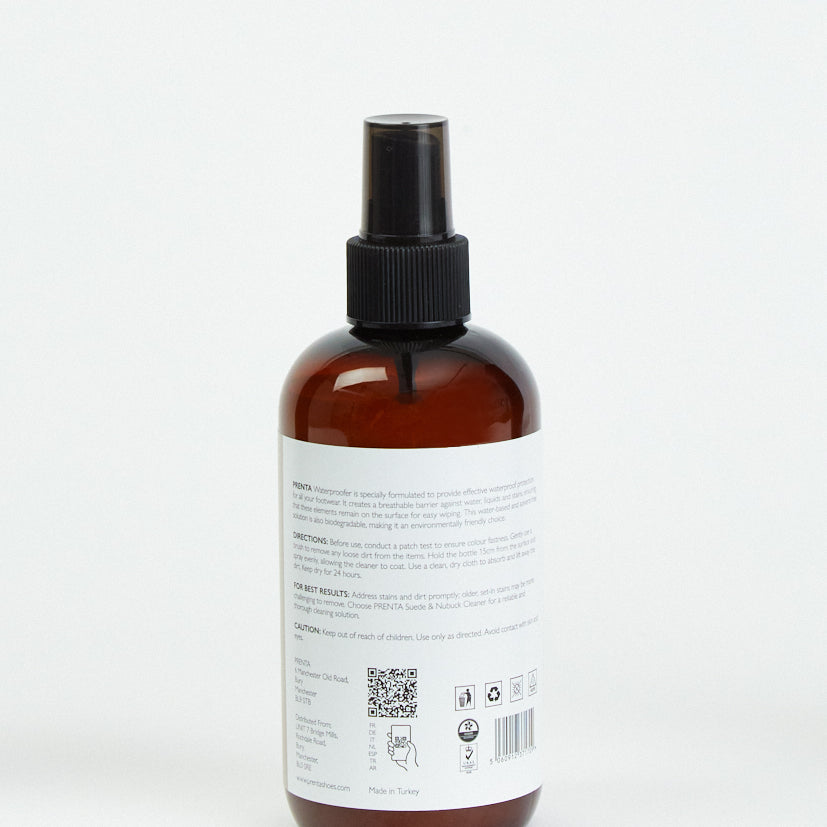
Sugerimos usar nuestro Pulverizador Impermeabilizante, que es un método preventivo para asegurar que tus zapatos soporten el clima húmedo. Cepilla la suciedad, luego rocía uniformemente desde 15 cm para cubrir la superficie. Limpia cualquier exceso y déjalo secar durante 24 horas. Prueba primero en una pequeña área y mantén fuera del alcance de los niños.
Los zapatos PRENTA utilizan una variedad de materiales cuidadosamente seleccionados, que incluyen cueros de primera calidad, gamuza suave, tejidos transpirables y forros y suelas especializados diseñados para la flexibilidad y el desarrollo del pie. Cada material se elige en función del rendimiento, la comodidad y la durabilidad
PRENTA está comprometida con la sostenibilidad y el abastecimiento ético siempre que sea posible. La marca trabaja con proveedores que cumplen los estándares medioambientales y de calidad para reducir el impacto y priorizar los zapatos duraderos.
Sí, PRENTA selecciona materiales transpirables y cómodos para el uso diario. Los forros transpirables y la parte superior flexible ayudan a mantener los pies cómodos, secos y contentos durante las actividades diarias.
PRENTA utiliza tanto cuero genuino como materiales sintéticos de alta calidad, según el estilo del zapato. Todos los materiales son seleccionados por su durabilidad, comodidad e idoneidad para pies en desarrollo. Las páginas de productos proporcionan un desglose completo de los materiales de cada zapato
Los zapatos PRENTA están diseñados pensando en la comodidad. Los forros suaves y los materiales delicados ayudan a minimizar la fricción, haciéndolos adecuados para muchos niños con piel sensible. Sin embargo, si su hijo tiene una afección cutánea específica, le recomendamos que consulte los detalles de los materiales del producto y a un profesional de la salud si es necesario.